21 HubSpot Connector
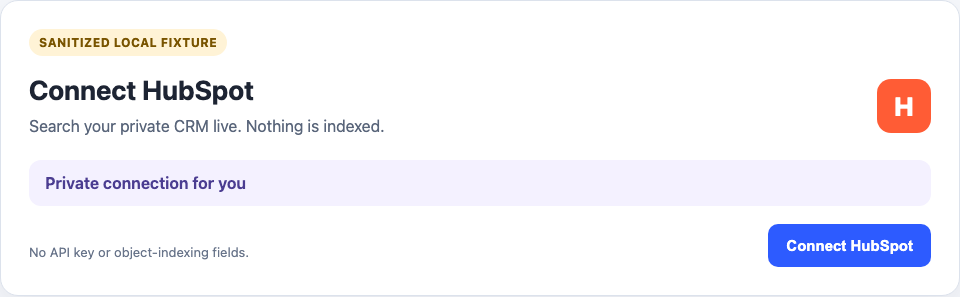
HubSpot is a private live connection. It searches the signed-in member’s CRM when a question is asked. HubSpot records are not copied into the workspace search index.
21.1 What is indexed or searched live
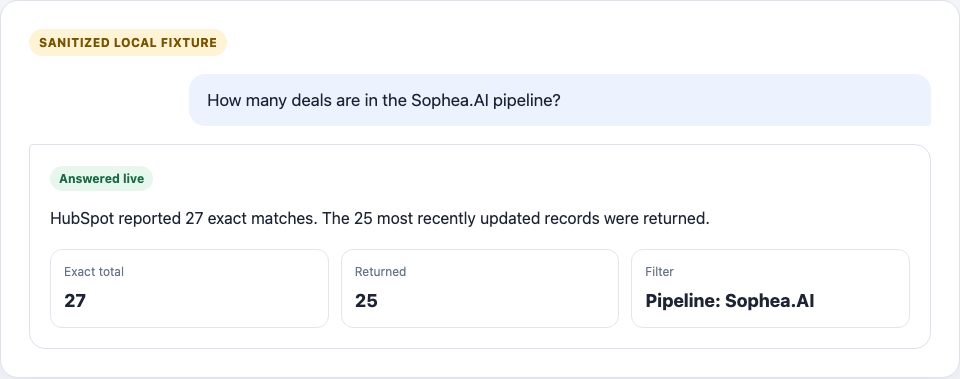
Nothing is indexed. Nous can search deals, companies, contacts, and tickets, and can open one supported record or collection link. A search returns at most 25 records and reports HubSpot’s exact match count separately.
Deal and ticket searches can use a pipeline plus a stage or status. Nous safely resolves names to HubSpot IDs before searching. Browser view filters in a pasted list or board URL are not known to Nous and are not applied. State the pipeline and stage or status in the question when those filters matter.
21.2 Administrator role and authentication
Sophea manages the HubSpot OAuth app. Each member connects one HubSpot account from the personal connector catalog. A HubSpot super admin or a user with app installation permission may need to approve the connection.
The OAuth grant requests read access for contacts, companies, deals, and tickets. There is no API key, access-token, client-secret, refresh schedule, or object-indexing form in Nous.
21.3 Provider setup and permissions
- Confirm that the HubSpot user can read the required CRM records and properties.
- In Nous, open Connectors and choose HubSpot.
- Select Connect HubSpot and finish the HubSpot sign-in and approval flow.
- Return to Nous and confirm that the connection shows the member’s email.
21.4 Setup form fields
There are no manual setup fields. HubSpot account identity, scopes, and the numeric Hub ID are read from HubSpot after OAuth. The Hub ID is used only for safe routing, while the member email is shown as the account label.
There are no refresh, pruning, indexing, workspace-access, or Team fields.
21.5 Workspace and Team access
The connection belongs to one member. Other members must connect their own HubSpot accounts. An administrator cannot make it public, assign it to a Team, add it to a document set, schedule scans, pause it, or reindex it.
21.6 Supported links and testing
Test with non-sensitive records that the connected member can open:
- Search deals and confirm the exact total is separate from the returned records.
- Search one deal or ticket pipeline and one stage or status.
- Search companies, contacts, and tickets.
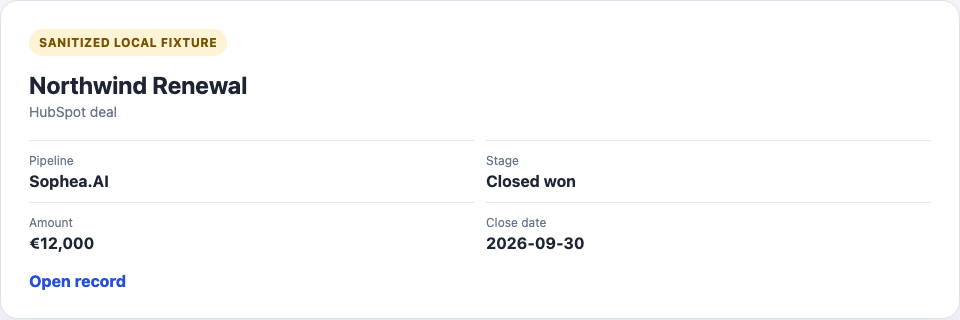
- Open a typed ID such as
deals/12345and an official record URL. - Open a modern object list or board URL and a legacy deals-board URL.
- Try a link for another HubSpot account or an untrusted host and confirm that Nous rejects it before any provider request.
The next two images use deterministic, sanitized local fixture data. They show the product contract, not proof from a real HubSpot account. Real-provider proof is recorded separately during release verification.
21.7 Common errors
| Error | Action |
|---|---|
| HubSpot approval is required | Ask a HubSpot super admin to approve the managed app. |
| Required scope is missing | Reconnect with a user who can grant read access for contacts, companies, deals, and tickets. |
| A record is missing | Check the connected user’s HubSpot record permissions, then search the object type directly. |
| A pipeline or stage is not unique | Use the exact HubSpot pipeline or stage ID. |
| Browser filters were not applied | State the pipeline and stage or status in the question. |
| A link is rejected | Use an HTTPS app.hubspot.com or one-label app-*.hubspot.com record, list, or board URL for the connected account. |
| OAuth expired | Reconnect the same personal HubSpot account and test again. |
21.8 Reconnect, rotate, and remove
Use Reconnect after the HubSpot grant expires or the account changes. Removing the current private live connection disconnects it. There is no new indexed HubSpot content to remove.
An older HubSpot connector that indexed records shows Reconnect required. Remove it and create a new private live connection. The cleanup deletes the old indexed pair without deleting the new personal live connection.